Free All About Me Worksheets for Every Learner (Two Designs)
Free printable All About Me worksheets in two designs: pre-K to teens, symbol-supported for AAC users, plus an IEP one-pager. PDF and editable PPT.
Key Takeaways
- The packet has ten pages in each of two complete designs, Crayon World and Space Explorer, so a whole classroom can work from one activity while every student gets a page that fits.
- Five versions cover real classrooms: pre-K drawing-first, elementary, teens, a symbol-supported set for students who do not write yet (including AAC users), and a page the teacher fills out too.
- The parent one-pager, Meet My Child, turns the same activity into an IEP meeting tool: strengths first, what helps, what is hard, and how your child communicates, on one page the team can actually read.
- Every file is free with no email required: PDF in US Letter and A4, plus an editable PowerPoint version of each design with text boxes already placed on the write lines.
- The symbol-supported pages count any answer: circle it, point to it, stamp it, or glue it. For AAC users, model the symbol on the device first, then let them mark the page.
Every teacher knows the first-week ritual: an All About Me worksheet lands on twenty-five desks, and within ten minutes you know who loves dinosaurs, who has a new baby sister, and who will not pick up a pencil for a page of lines they cannot fill. That last student is why this packet exists. One student should not have to sit out the class introduction because the worksheet assumed everyone writes.
This packet covers the whole room, free, in two complete designs:
- Pre-K page, drawing-first with almost no writing
- Elementary page, big write lines, favorites, and a self-portrait frame
- My People page, family, pets, and friends
- Teen pages, an introduction that respects the reader, plus a "user manual for me"
- Symbol-supported pages for students who do not write yet, including AAC users
- My School Day, a picture-symbol page about the day itself
- Meet My Child, a parent one-pager built for the IEP table
- All About Your Teacher, because you introduce yourself too
Two looks, same pages: Crayon World (sunshine, bunting, sketch-book energy) and Space Explorer (mission-report framing, toner-friendly). The downloads are at the bottom of this page, PDF and editable PowerPoint, no email required.
For Teachers
The pages your whole class can do together
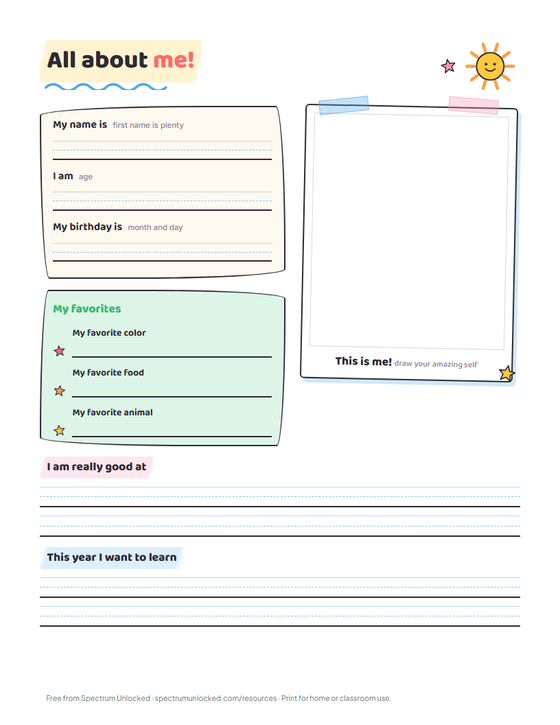
The elementary page is the classic done properly: name, age, and birthday on handwriting-guide lines, favorites in their own box, a self-portrait frame that makes the finished page bulletin-board ready, and two prompts that surface something real ("I am really good at" and "This year I want to learn"). The pre-K version strips it to drawing: a face to finish, a crayon to color, a plate to fill, and an age box, with a note reminding grown-ups to caption in the child's own words.
The My People page adds the family drawing plus prompts about pets and friends, which doubles as the fastest way to learn who lives at home, who matters, and what a student's weekend actually looks like.
The pages nobody else's packet has
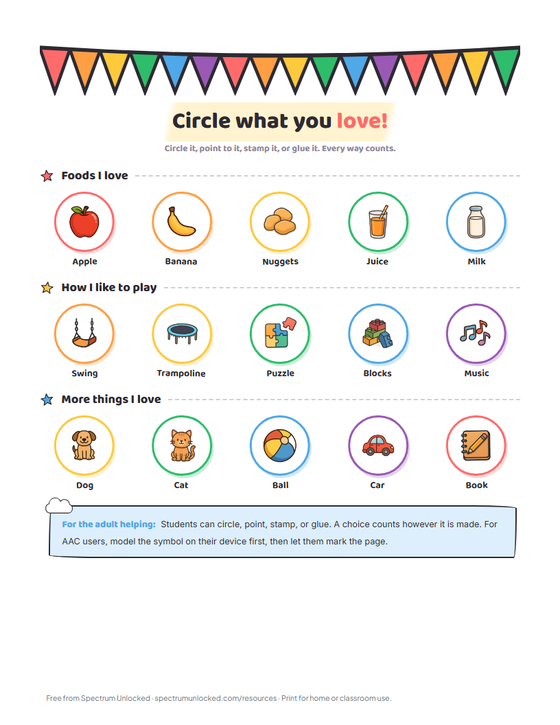
The symbol-supported pages are the reason this packet belongs in a special education classroom. Each question is a row of picture symbols, and a choice counts however it is made: circled, pointed to, stamped, or glued. For AAC users, model the symbol on the device first, then let the student mark the page. My School Day extends it to the day itself, with draw-your-own cells where a student's answer is not on the page. Every student in the room completes the same activity the same week, and no page looks like the easy one.
The teen pages, which are deliberately not cute
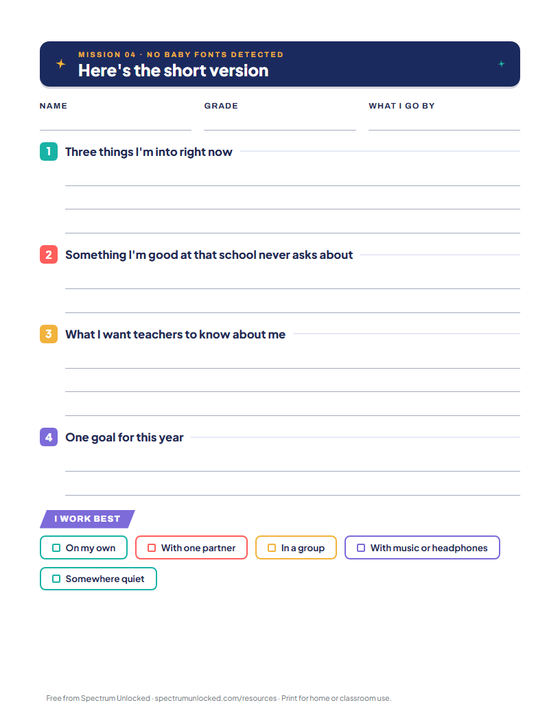
A teenager handed a worksheet with cartoon suns will write nothing true on it. The teen intro page asks for the short version: three things they are into, something they are good at that school never asks about, what they want teachers to know, and how they work best. The second teen page, The User Manual for Me, goes further: what helps me focus, what stresses me out, how I recharge, and something I am proud of that is not on a report card. For an advisory period or a case manager's first week, it is a semester of rapport in two pages.
And one for you
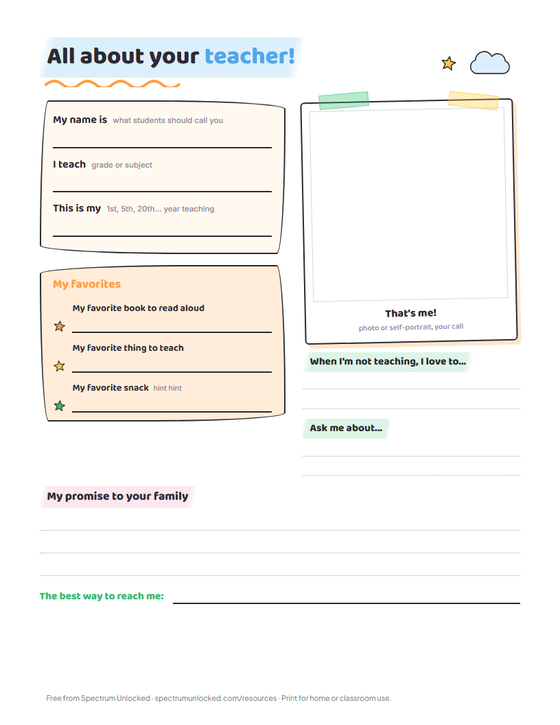
The last page flips the assignment: your name, your favorites (snack hints welcome), what you love outside school, and a promise to families, with a frame for a photo or a self-portrait. Post it at meet-the-teacher night or send it home on day one. Families who feel introduced ask better questions all year.
For Parents
The one-pager that changes an IEP meeting
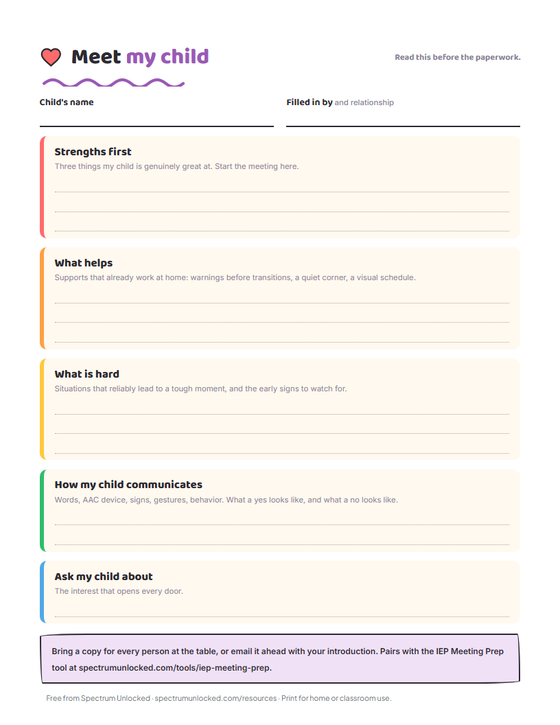
The Meet My Child page is the packet's quiet heavyweight. It is filled out by the people who know the student best, and it is structured the way a meeting should start: strengths first, then what helps, what is hard, how your child communicates, and the interest that opens every door. Bring a copy for every person at the table, or email it ahead with your introduction, so the first thing the team reads about your child is not a deficit list.
It pairs directly with the free IEP Meeting Prep tool, which builds your talking points for the rest of the meeting, and if you are new to the process, start with what an IEP actually is. For the school-side view of the same information, the classroom sensory strategies guide covers how what-helps turns into written accommodation wording that sticks.
At home before school starts
The pre-K and elementary pages work as a kitchen-table activity the week before school: fill one out together, and your child walks into a new classroom with a page that introduces them on their terms. For a child who is nervous about a new teacher, filling out All About Me at home first turns the first-day version into something familiar.
The Two Designs
Same ten pages, two complete identities. Crayon World is the classic look: bunting, a smiling sun, sketch-book borders, and handwriting guides. Space Explorer reframes the same pages as a mission file: console panels, rockets, and mission tags, deliberately toner-friendly with dark ink only in banners and line art. Print one for the whole class or let students pick, which is its own five-minute icebreaker.
Both designs download below in US Letter and A4, plus an editable PowerPoint per design with text boxes already sitting on every write line. Google Slides versions are coming; the PowerPoint files import into Slides cleanly in the meantime.
How to Use This Packet Well
A few moves teachers shared that make the pages work harder: print the teacher page first and post it before you ask students for theirs, because modeling the vulnerability changes what they write. (The teacher page here is the classroom activity; the polished introduction that goes home to families is its own thing, and the free Meet the Teacher pack covers it, para and team pages included.) Keep finished pages in the sub folder, where they are the fastest who-is-this-class briefing a substitute will ever get. And for IEP students, photocopy the finished page into the meeting file in the fall, when it is current, not in the spring, when it is a time capsule.
Download the free All About Me packet
Ten pages per design: pre-K, elementary, teens, symbol-supported, a parent one-pager for the IEP team, and a page for the teacher. Pick the look your classroom likes; the pages are the same. The fillable PDFs let students and families type their answers before printing.
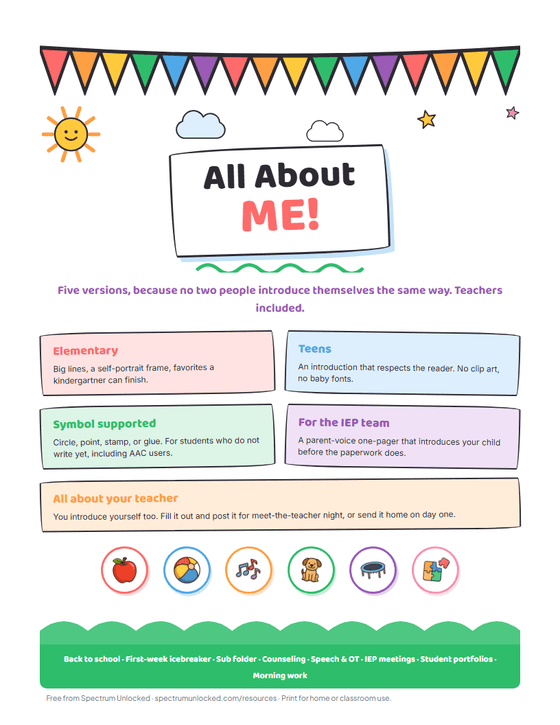
Crayon World
Sunshine, bunting, and sketch-book energy. The classic classroom look.
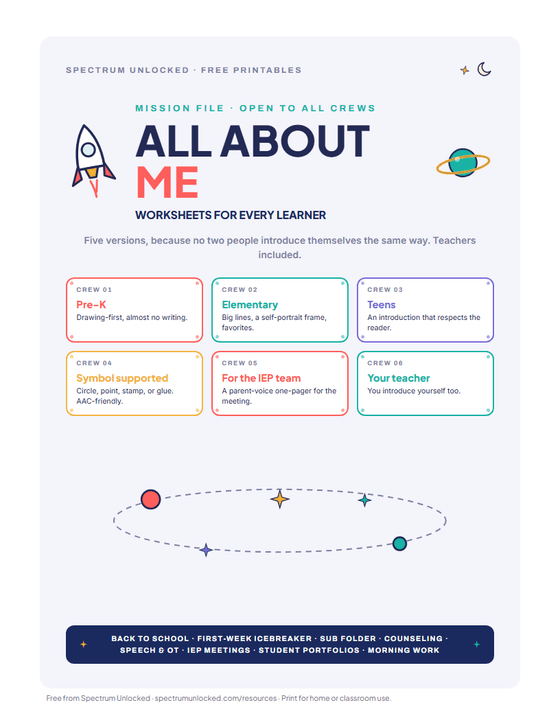
Space Explorer
Mission-report framing with rockets and consoles. Toner-friendly, loved by the too-cool.
Free for home and classroom use. No email needed, ever.
Planning for a room where every student needs something different?
Beacon remembers your students and your setting, so you are not re-explaining them every time.
What would Beacon say?
"Help me plan a week for a mixed-goal group"
Beacon works from the goals and levels already in your room, then gives you something you can run on Monday. Not a blank template to fill in on Sunday night.

Spectrum Unlocked Editorial Team
Editorial Team
The Spectrum Unlocked editorial team combines lived experience as autism parents with research-backed guidance to create resources families can trust.
Frequently asked questions
- What is an All About Me worksheet?
- A one-page introduction a student fills out about themselves: name, favorites, family, strengths, and what they want their teacher to know. Teachers use them the first week of school as icebreakers, sub-folder material, and bulletin board displays, and they double as a gentle writing or fine-motor activity. For students still learning to write their own name, name tracing practice is the natural companion the same week. The versions in this packet extend the idea to students who do not write yet and to the IEP table.
- How do I use All About Me worksheets with a nonverbal or AAC-using student?
- Use the symbol-supported pages. Each question is a row of picture symbols, and any way of answering counts: circling, pointing, stamping, or gluing the symbol. For an AAC user, model the choice on their device first, then let them mark the page however works for their body. The point is a real introduction in the student's own preferences, not a handwriting sample.
- What ages are these worksheets for?
- The packet spans pre-K through high school. The pre-K page is drawing-first with almost no writing, the elementary page has big write lines and a self-portrait frame, and the teen pages are deliberately designed not to look babyish, because a fifteen-year-old will not fill out a page with cartoon suns on it. Print the page that fits the student, not the grade.
- Can I use an All About Me worksheet for an IEP meeting?
- Yes, and it is one of the most effective one-pagers a parent can bring. The Meet My Child page is written for exactly this: strengths first, what helps, what is hard, how your child communicates, and the interest that opens every door. Bring a copy for every person at the table or email it ahead with your introduction, and pair it with the free IEP Meeting Prep tool for the rest of the meeting.
- Are these worksheets really free? Can I use them in my classroom?
- Yes. Every file on this page is free for home and classroom use with no email required, in both designs, in US Letter and A4. Print as many copies as your classroom needs. The only thing not allowed is reselling the files themselves.
- Can I edit the worksheets?
- Yes. Each design has an editable PowerPoint version with text boxes already placed on every write line, so you can type answers or translate prompts without the layout shifting; the page design itself is locked as the slide background so nothing moves by accident. The decks use free Google Fonts (Baloo 2 and Plus Jakarta Sans), and a credits slide explains the one-minute font install if PowerPoint shows a substitute.