Free Special Education Teacher Planner (Undated, Three Designs)
Free printable teacher planner PDF for special education: IEP dates tracker, caseload page, para schedules, service minutes log. Undated, 3 designs.
Key Takeaways
- This is a free 13-page teacher planner PDF that generic planners do not compete with: alongside the weekly, monthly, and year-at-a-glance pages, it has an IEP dates tracker, a caseload page, an accommodations grid, a para schedule, a service minutes log, and a parent contact log.
- Everything is undated, so the same download works this school year and every year after. Write the dates in once a year instead of buying a new planner.
- It comes in three complete designs: Calm (muted sage and terracotta for your desk), Crayon World, and Space Explorer (the same looks as the All About Me packet), in US Letter and A4.
- Student rows are labeled for initials only, so the planner stays useful without turning into a confidentiality problem if it walks off your desk.
- Every file is free with no email required. Print the whole packet or just the pages your room needs, or type into the editable PowerPoint version of each design: every sheet is rebuilt from real PowerPoint objects with a text box on every write line.
Walk into any teacher supply store and you can buy a beautiful planner with absolutely nowhere to write an IEP date. That is the gap this download fills. Generic teacher planners assume your job is lessons and grading; a special education teacher's planner also has to hold annual reviews, reevaluations, service minutes, accommodations, para schedules, and a paper trail of parent contact. So we built the planner around that half of the job and made it free.
The packet is 13 undated pages, in three complete designs, in US Letter and A4:
- Cover with a name line
- Year at a glance, twelve fill-in month blocks
- Monthly plan, an undated five-week grid
- Weekly plan with service blocks, a para row, and a Top 3 priorities box
- IEP dates tracker: annual review, reeval, progress reports, notice sent
- Caseload at a glance: eligibility, services, and minutes per student
- Accommodations at a glance: one grid, checkmarks per student
- Para daily schedule, one column per para
- Service minutes log, one row per session
- Parent contact log with a follow-up checkbox
- IEP meeting notes with decisions and action items
- Student roster for birthdays, dismissal, and medical flags
- Logins page for the fourteen platforms your district makes you use
Download whichever design fits your room, or mix pages across designs; the layouts are identical. Each design also has an editable PowerPoint version, so you can type your caseload, para names, and logins once and reprint all year.
The pages a generic planner does not have
The heart of this planner is the special education spread. The IEP dates tracker puts every student's annual review, reevaluation, and progress report windows on one page with a notice-sent checkbox, so compliance stops living in your memory. The caseload page is the one-glance answer to who gets what: eligibility, services, and weekly minutes per student. The accommodations grid turns the pile of IEP-at-a-glance sheets into a single page: write each accommodation across the top, check the students it belongs to, and hand a copy to whoever covers your room.
Then there is the staffing half. The para daily schedule gives each para a column and each time block a row, which replaces the sticky note taped to your desk that nobody else can read. The service minutes log gives you one row per session, which is exactly what you need when someone asks you to document delivered minutes in March. And the parent contact log keeps date, method, and what-we-talked-about in one place, with a follow-up checkbox, because "did you communicate with the family about this?" is a question that always comes eventually. For the daily folder sheet itself, the free parent-teacher communication log covers the student-day side of the same conversation.
Every student row on every page says initials only. A paper planner sits open on a desk and rides home in a bag; initials keep it useful to you and meaningless to anyone else.
Three designs, same pages
Calm is the new one, built for the person who has to look at this planner every day: muted sage and terracotta, clean type, and working space that stays ink-light. Crayon World and Space Explorer match the designs from the All About Me packet, so your planner can match your classroom printables. All three are the same 13 pages in the same layout; the design is the only thing that changes.
How teachers set it up in August
Print one full packet. During pre-service week, fill in the year-at-a-glance months, add every student to the IEP dates tracker and the caseload page, and build the accommodations grid from the IEPs. Write your para assignments on the schedule page and post a copy. From there the planner runs on two habits: the weekly spread on Monday morning, and a five-minute scan of the IEP dates tracker once a month. Print extra service log and contact log pages as they fill; they are designed to be reprinted alone. If reprinting pages all year is going to happen on your own machine rather than the school copier, the best printer for teachers works through the choice on cost per page, which matters far more than the price on the box once you are printing weekly.
The planner pairs with the free tools on this site: build lessons with the lesson plan maker, prep meetings with the IEP meeting prep tool, and pull goal language from the IEP goal bank. At back-to-school time, the matching Meet the Teacher pack introduces you, your paras, and the whole support team to families in the same three designs. For stocking the room itself, the classroom must-haves list covers what teachers actually buy, and the self-contained classroom setup guide covers the room plan the planner schedules.
The planner is part of Spectrum Unlocked's free teacher-printables line. It is free for personal and classroom use, and it is undated on purpose: download once, use it every year.
Download the free Special Education Teacher Planner
Thirteen undated sheets per design: weekly and monthly plans, an IEP dates tracker, caseload and accommodations at a glance, a para schedule, service minutes and parent contact logs, meeting notes, and more. Pick the look you like; the pages are the same. The fillable PDFs let you type straight into every grid and log on a laptop, then print.
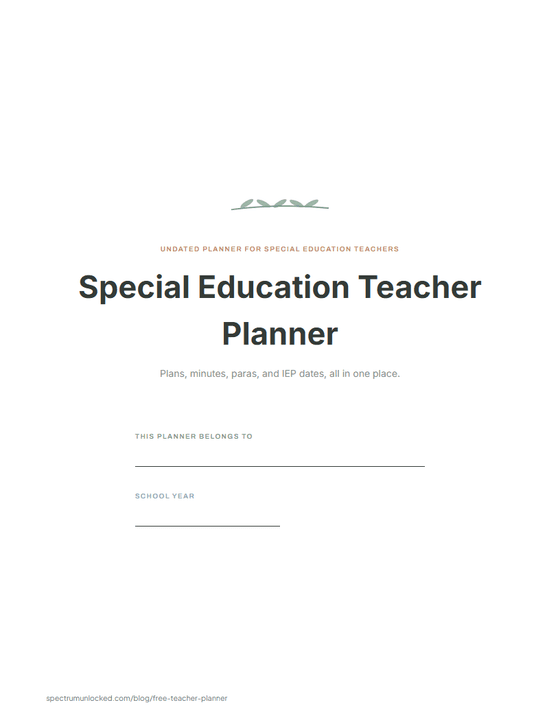
Calm
Muted sage and terracotta, clean type. The one that lives on a desk all year.
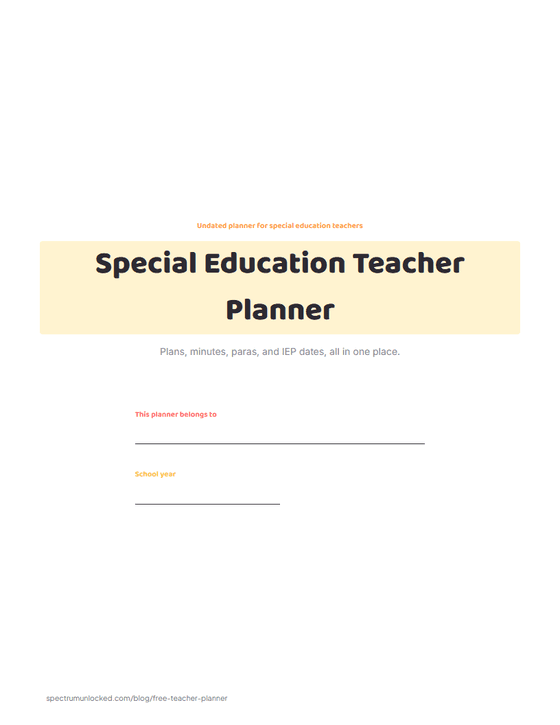
Crayon World
Sunshine, bunting, and sketch-book energy. Matches the All About Me packet.
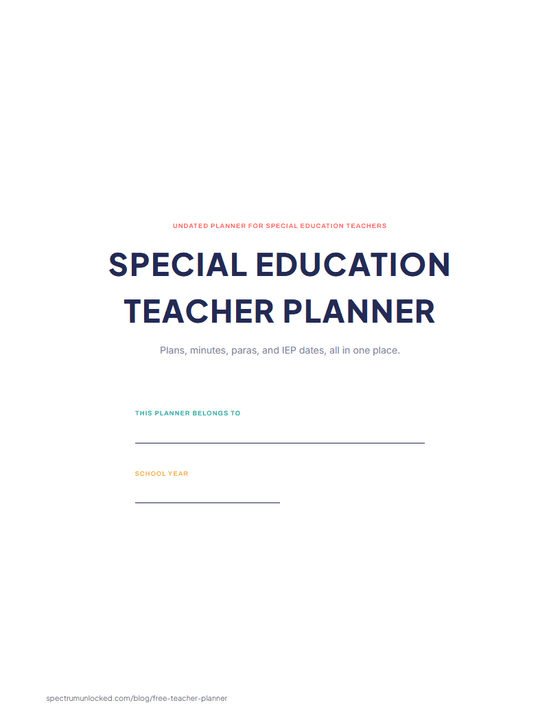
Space Explorer
Mission-console framing, toner-friendly. For the room that runs on rockets.
Free for personal and classroom use. Undated, so it works every school year. No email needed, ever.
Planning for a room where every student needs something different?
Beacon remembers your students and your setting, so you are not re-explaining them every time.
What would Beacon say?
"Help me plan a week for a mixed-goal group"
Beacon works from the goals and levels already in your room, then gives you something you can run on Monday. Not a blank template to fill in on Sunday night.

Spectrum Unlocked Editorial Team
Editorial Team
The Spectrum Unlocked editorial team combines lived experience as autism parents with research-backed guidance to create resources families can trust.
Frequently asked questions
- What should a special education teacher planner include?
- Everything a general planner has, plus the pages that track the legal side of the job: an IEP dates tracker with annual review and reevaluation dates, a caseload summary, an accommodations-at-a-glance grid, a para or aide schedule, a service minutes log, and a parent contact log. That second list is what this free planner adds and what off-the-shelf planners almost never include.
- Is this teacher planner really free?
- Yes. Every file on this page is a free download with no email required: all three designs, in US Letter and A4, plus an editable PowerPoint version of each design with a text box already sitting on every write line. The standard PowerPoint edition uses fonts that ship with Office (no installs); the designer-fonts edition matches the PDF with free Google Fonts. Print as many copies as you need for your own classroom. The only thing not allowed is reselling the files.
- Why is the planner undated?
- An undated planner works every school year: you write the month names and dates in once, usually during pre-service week, and the August you buy it in stops mattering. It also means a page you ruin or fill mid-year can be reprinted without anything going out of sync.
- How should I track IEP dates so I never miss one?
- Put every student on the IEP dates tracker page in August: annual review date, reevaluation or triennial date, and the progress report windows. Then work backwards. Most teams need paperwork moving about a month before an annual review, so a quick monthly scan of the tracker during a planning period is enough to catch everything coming. The notice-sent checkbox covers the step that most often slips.
- Should I write student names in a paper planner?
- Use initials, which is how every student row in this planner is labeled. A paper planner travels: it sits open on your desk, goes home in your bag, and gets borrowed by a sub. Initials keep the pages useful to you and meaningless to anyone else. Full names, diagnoses, and anything sensitive belong in your district's secure systems, not on paper.
- Can paraprofessionals use this planner too?
- The para daily schedule page is built to be shared: one column per para with their assignments through the day, posted or handed out so everyone knows where they are. Many teams also print an extra copy of the weekly spread for each para. For setting up para systems more broadly, see the paraprofessional guide linked below.